Installation
This is guide will show you how to download the latest version of Grizzly and launch it.
If you want to install for Lunar Client, check the separate tutorial for that.
Setting up Fabric
To get started, you must first download the Fabric mod loader. I highly suggest you read the official Fabric installation guide.
Once you've installed Fabric, locate your mods folder, if you use the official Minecraft
launcher and you use Windows, it will likely be located at %appdata%/.minecraft/mods.
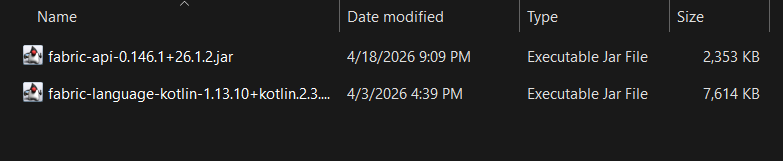
You need to install 3 mods to get this client working:
- Fabric API
- Fabric Language Kotlin
- and the client jar (this will be in the next step)
Simply download those two jars from Modrinth and put them in your mods folder.
Older versions
Most of this guide concerns the latest release and experimental build of Grizzly, if you need it for an older version of Minecraft, then here is the list of builds and their associated versions:
| Build # | MC Version |
|---|---|
| 3 | 26.3 (source) 26.2 (source) |
| 2 | 26.1.2 (source) |
| 1 | 26.1 (source) |
You'll be required to use the older version of the Fabric API and Fabric Language Kotlin.
Downloading the client
There are two different versions you can install, one being the latest release, and one being the experimental latest artifact.
-
If you want the newest modules and dont mind potentially facing bugs, you can download the latest experimental version.
-
If you want a stable experience, download the latest release version.
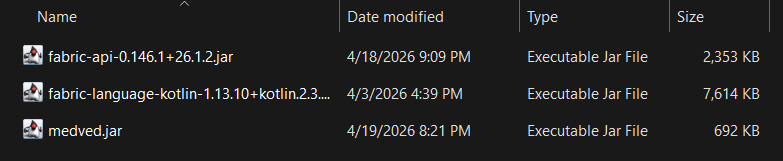
Once you've downloaded the medved.jar, place it in your mods folder:
What next?
You've now successfully launched Grizzly Client, congratulations!
Check out the quick start guide to see how to configure and enable modules.